Watch esadesk work
Screen recordings of the real product, narrated in plain words. No sound, no signup, about a minute each. Press play on any screen.
One invoice, checked before it goes
Preflight names what Arizona is missing, and the send stays locked until it clears.
Run the same checks free →Your students · The invoice builder · The review sheet · The parent's link
The narration, written out
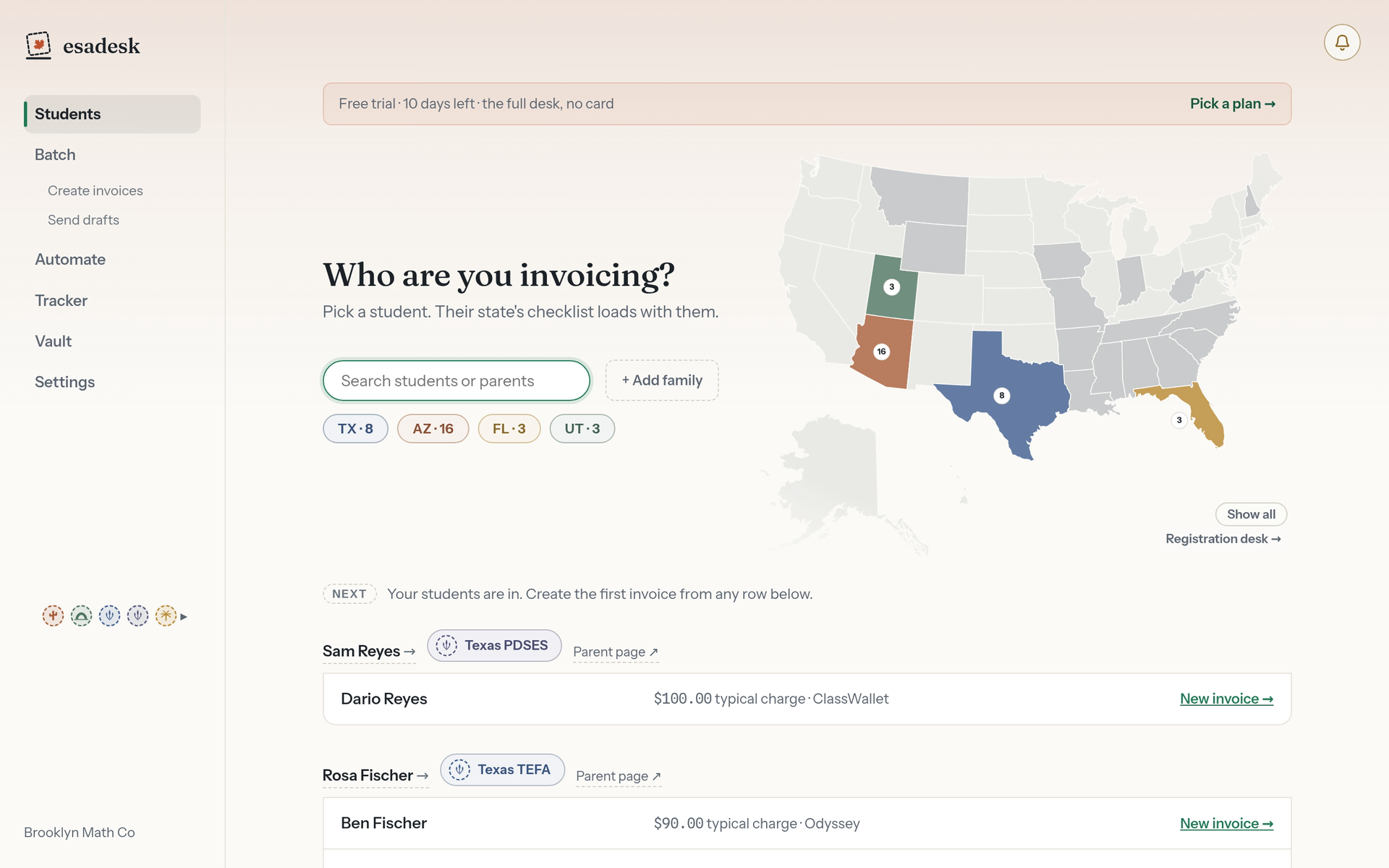
- Start where the work starts: your students.
- Ada bills to Arizona.
- Arizona pays two ways, and each one asks for different papers.
- Preflight reads Arizona's own rules as you type.
- Two things are missing, so this cannot be sent.
- Say what the month was for.
- The amount arrives from Ada's usual charge.
- Every check clears, and the seal lands.
- Now it lets you save it.
- This is the exact PDF Quinn will hold.
- Saved, numbered, and ready to go out.
- Quinn gets a link. No account, no password, no app.
The link the parent gets
No login and no app: the family opens one link, follows their state's steps, and one tap tells you it went in.
Run the same checks free →The family's page · The parent's page · The invoice, and Arizona's steps · Telling you it went in · Your tracker
The narration, written out
- Ada's invoice is sent. This is her family's page in your book.
- Every family has one standing link. You share it once.
- No login, no app. One page with every invoice for their kids.
- Your own name for the charge, so they know what it covers.
- That opens the invoice, with Arizona's steps under it.
- The invoice number, the student, and the exact total to type in.
- Then Arizona's steps, in the order ClassWallet asks for them.
- A plain link across. esadesk never touches their account.
- The invoice itself, ready to upload.
- One tap tells you it went in.
- This page only sees clicks on its own links, so it double checks first.
- Recorded as their word, with an undo if they tapped it by mistake.
- On your side, that claim has moved.
- esadesk only ever shows what it actually saw happen.

Thirty invoices in one pass
Pick the students, fix the one thing blocking all of them, create the drafts.
Pick who you are billing · The month-end desk · One fix for all thirty · Thirty drafts
The narration, written out
- Month end. Every student, one pass.
- Step one is only picking. No forms, no blockers yet.
- Thirty students, and what they add up to.
- Step two is the desk, grouped by program, with the checks running.
- Every row is blocked: no line says what it was for.
- Say it once, at the top.
- One description for the whole pass.
- All thirty clear at once, and each student keeps it for next month.
- Open a row to see exactly what gets billed.
- Create the drafts. Nothing goes to a parent from here.
- Thirty drafts, waiting on Send drafts for you to look them over.

It prepares next month for you
Put a student on a cycle, and the invoice is waiting when the date comes round.
The standing orders · Setting the cycle · What runs next
The narration, written out
- Some students bill the same way every month.
- Drag one onto the ledger, and esadesk writes the invoice when the date comes round.
- The drawer opens over the page. Nothing behind it moves.
- Monthly, on the first, at Avery's usual charge.
- Prepare a draft for you, or send it once every check clears.
- The run strip says the date, the count, and the money.
- The ledger keeps it in date order.
- Skip one run, pause it, or stop it, any time.

Registered before your first invoice
Every state's vendor registration in one place — doors, asks, and trip-ups, cited. Free, no account.
Open the registration desk →The registration desk · What you already have · Arizona's sheet · The vendor desk
The narration, written out
- Eighteen ESA programs, and what getting into each one asks of you.
- Fourteen doors are open right now.
- Tick what's ready. The desk does the reckoning live.
- Every state now says how much of its ask you cover.
- One honest answer per state, cited to the program's own paper.
- The path in, with the state's own links.
- And the trip-ups other vendors hit, with sources.
- A free account keeps your kit and your applied marks.
- The vendor desk sits behind these doors. It opens with a free account.

Try the checks on one of your invoices
The rules the demos run are free to use in the browser. Nothing you type leaves the page.
Check an invoice freeQuestions? Write requests@esadesk.com.